01 / Receive

FTPull
From the server to your Mac
Monitors your FTP server and downloads new files automatically to your Mac.
- Smart file detection
- Multiple FTP connections
- FTP, SFTP & FTPS

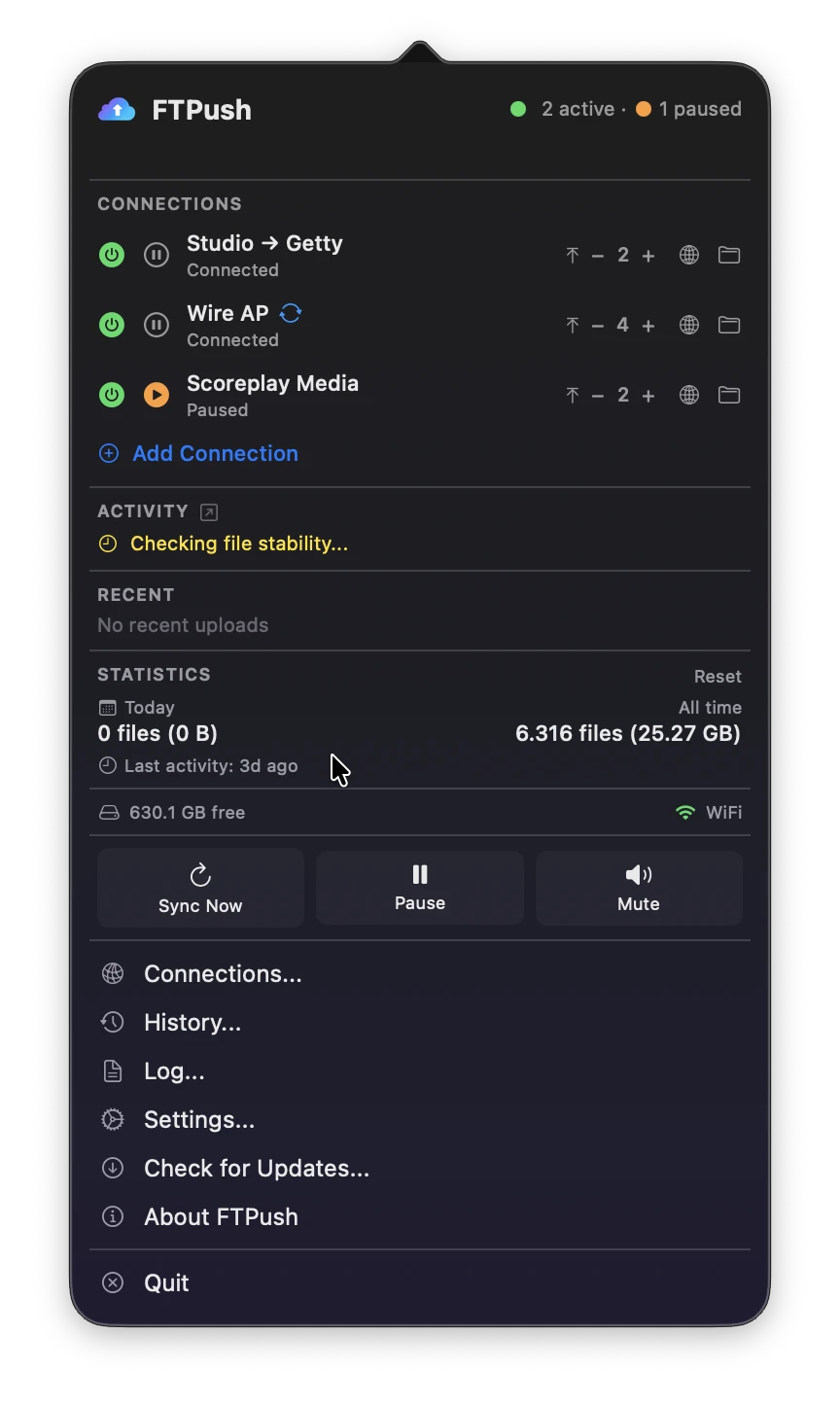
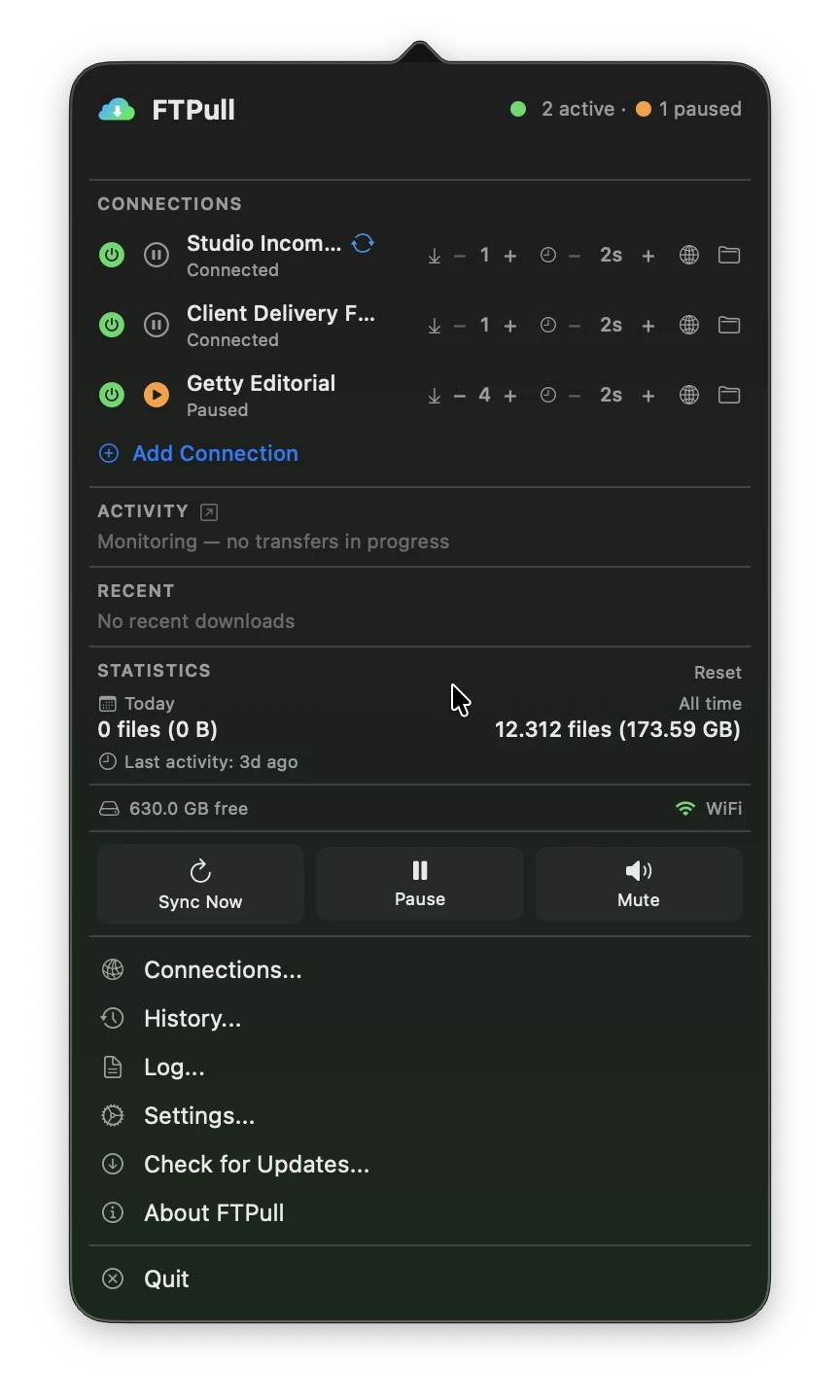
FTPull + FTPush macOS
Your FTP, on autopilot.
Receive and send files automatically, from your Mac's menu bar. Keep doing your work.
Automatic download + upload · Mac
No credit card required · macOS 13+
Fewer steps. More work done.
From the server to your Mac

Edit with the tools and folders you already use.

From your Mac to the server
FTPull / FTPush
One annual FTPSuite subscription with both apps. All features and updates included.
01 / Receive
From the server to your Mac
Monitors your FTP server and downloads new files automatically to your Mac.
02 / Send
From your Mac to the server
Monitors a local folder and uploads new files to your FTP server automatically.
macOS
Host, username, password, remote folder. Pick your industry preset and FTPull configures everything else.
Where should your files go? Pick any folder on your Mac. FTPull will organize them by date, client, or however you prefer.
FTPull sits in your menu bar, silently working. New files appear in your folder. You never think about FTP again.
FTPSuite
One annual FTPSuite subscription with both apps. All features and updates included.
View prices

Automatic download + upload
89 €/ year
One annual FTPSuite subscription with both apps. All features and updates included.
Buy FTPSuite SoloTry it free for 14 days firstFTP / SFTP / FTPS
How sports photographers use FTP automation to receive photos, edit in Capture One, and deliver finals to the picture desk.
Configure FTPush IPTC Presets once before the match and every photo you upload routes automatically to the right ScorePlay collection: no manual sorting needed.
Getty Images Media Manager has a built-in SFTP ingest endpoint. Here's how to configure FTPush to upload files automatically the moment they land in your local folder.
FTPSuite
FTPSuite is a bundle that includes both FTPull (auto download from FTP) and FTPush (auto upload to FTP). They are two independent macOS menu bar apps that share one unified license - activate both with the same key. The complete FTP automation toolkit for Mac professionals.
If you only need to download files from FTP servers, FTPull (from €49/yr) is perfect. If you only need to upload, FTPush (from €49/yr) is your choice. FTPSuite (from €89/yr) gives you both - which is why most users find it the best value.
Yes. FTPSuite works with any standard FTP, SFTP, or FTPS server - including hosting providers, NAS devices (Synology, QNAP), dedicated servers, and cloud FTP services.
Yes. FTPSuite includes a 14-day free trial with no credit card required. All features are available during the trial.
Absolutely. You can configure unlimited FTP connections - some for downloading, some for uploading - each with their own credentials, filters, schedules, and local folders.
Not at all. FTPSuite sits in your menu bar using virtually zero CPU when idle. It only activates when files need to be transferred.
Yes. Each app has its own license and activates independently. With FTPSuite you get one license for each app - use them on the same Mac or on two different Macs, it's entirely up to you.
All updates are included in your annual subscription. Renew to stay up to date.

An independent project
FTPSuite grew out of a photographer's experience of checking the server over and over.
Meet the maker Capture One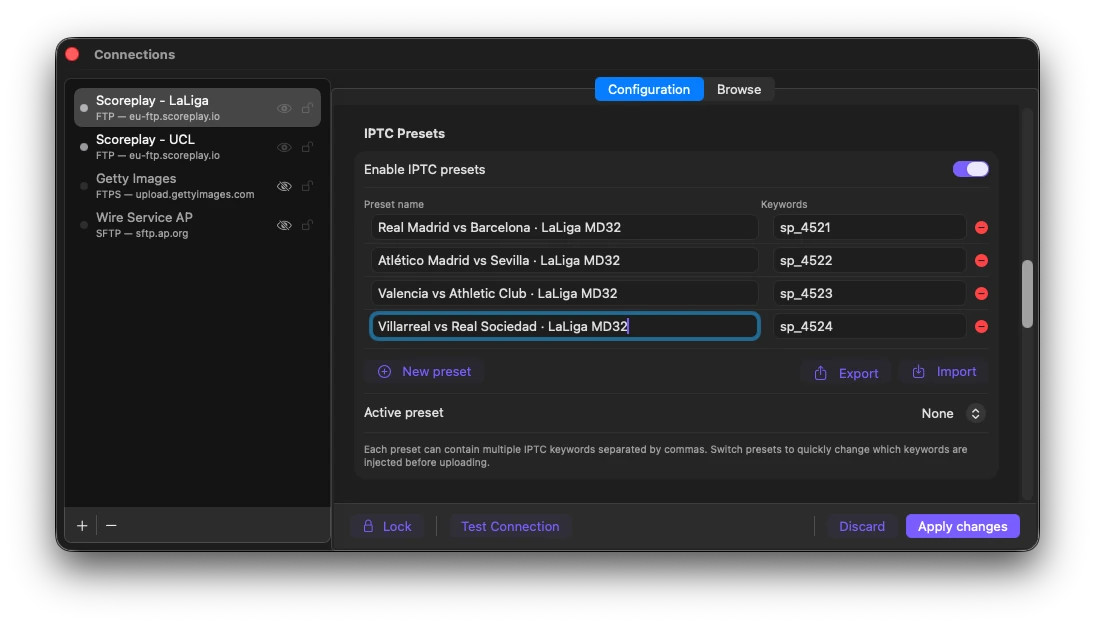
 JPEG
JPEG SFTP
SFTP