

Instant folder monitoring
FTPush watches your local folder for new files in real time. The moment a file appears, it's queued for upload - no polling delays.
FTP · SFTP · FTPS macOS
Your FTP files,uploaded automatically.
FTPush monitors your local folder and uploads new files to your FTP server the instant they appear. Set it once, forget it forever.
From your Mac to the server · Mac
macOS 13+ · Apple Silicon + Intel
FTPush
FTPush monitors your local folder and uploads new files to your FTP server the instant they appear. Set it once, forget it forever.
FTPush watches your local folder for new files in real time. The moment a file appears, it's queued for upload - no polling delays.
FTPush waits until a file is fully written to disk before uploading. No partial uploads, no corrupted transfers on the server.

Connect securely with any protocol. Encrypted transfers for sensitive data in healthcare, finance, or any regulated industry.
FTPush / macOS
Host, username, password, remote folder. Pick your industry preset and FTPush configures everything else.
Which folder should FTPush monitor? Pick any folder on your Mac. New files added here will be uploaded automatically.
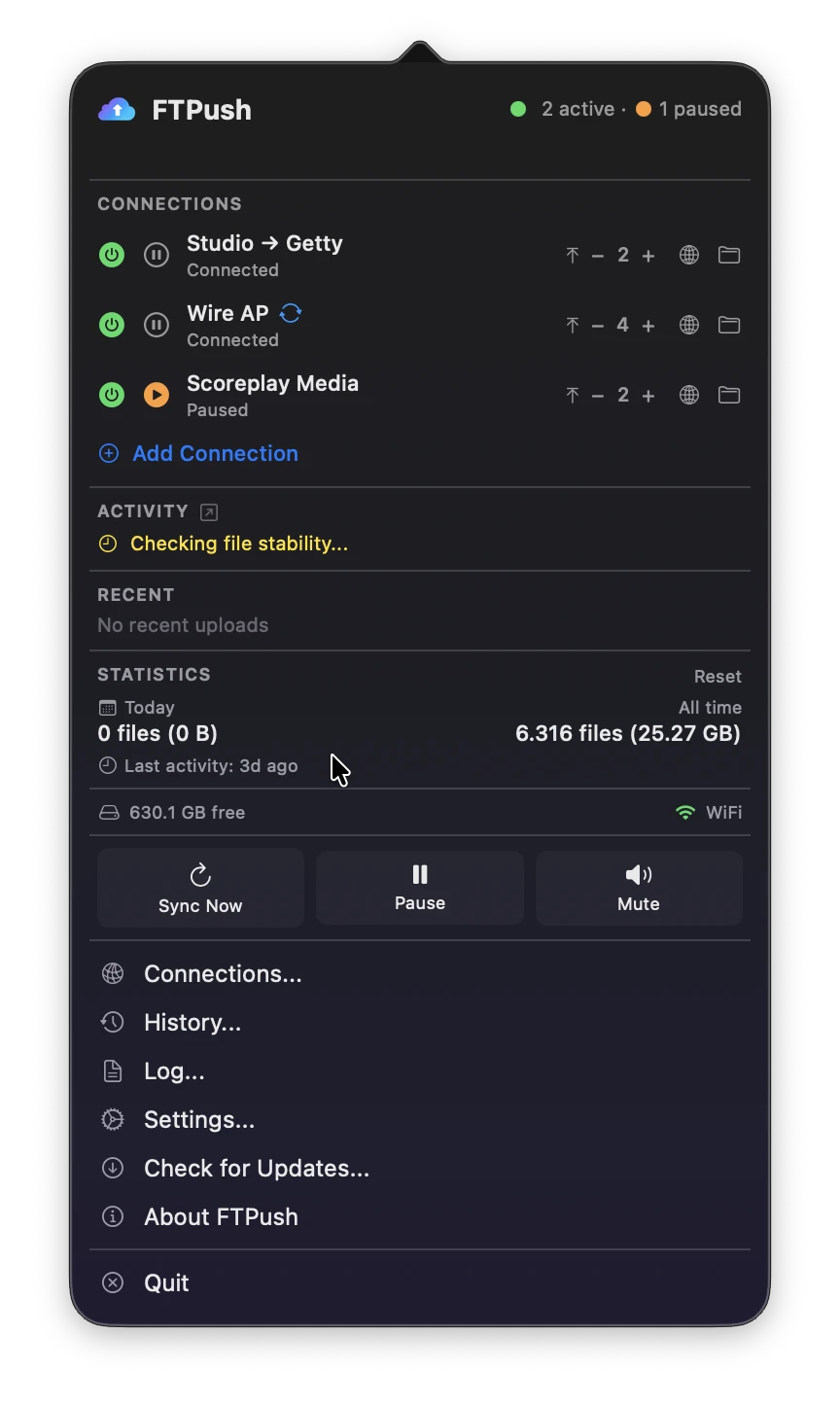
FTPush sits in your menu bar, silently working. Drop files in the folder, they appear on your server. You never think about FTP uploads again.
FTPush
Multiple connectionsUpload to multiple FTP servers simultaneously. Each connection has its own source folder, credentials, and remote destination.
 Smart upload filters
Upload only the files you need. Filter by extension, filename pattern, or file size. Built-in presets for common workflows.
 Post-upload actions
Run a script, move the file to an archive folder, or trigger a webhook after successful upload. Fully automated pipelines.
 Intelligent retry
If an upload fails, FTPush retries automatically with exponential backoff. No files left behind due to temporary connection issues.
 Full activity log
Complete history of every file uploaded. Timestamps, sizes, destination, status. Export for audits and compliance.
 Time-based scheduling
Upload only during the hours you choose. Perfect for off-peak bandwidth usage or scheduled batch deliveries.
 Remote File Browser
Browse, create, rename and delete files and folders on your FTP server directly from the app - no separate FTP client needed.
| Feature | FileZilla | Scripts/cron | Transmit 5 | FTPush |
|---|---|---|---|---|
| Automatic monitoring | ✗ | ~ | ✓ | ✓ |
| Stable file detection | ✗ | ✗ | ~ | ✓ |
| No coding required | ✓ | ✗ | ✓ | ✓ |
| macOS native | ~ | ✓ | ✗ | ✓ |
| Post-upload actions | ✗ | ~ | ✓ | ✓ |
| Price | Free | Free | $45 one-time | €49/yr |
FTPush
Try it free for 14 days first
FTPSuite
FTPush works with any standard FTP, SFTP, or FTPS server. This includes hosting providers, NAS devices (Synology, QNAP), dedicated servers, and cloud FTP services.
FTPush monitors file stability - it waits until a file stops changing in size before uploading, ensuring no partial or corrupted files are sent to the server.
Not at all. FTPush uses macOS file system events for instant detection - virtually zero CPU when idle. It only activates when files need to be uploaded.
Yes. Configure unlimited upload connections, each with its own source folder, credentials, remote destination, and filters.
FTPush retries automatically with exponential backoff. Failed uploads are clearly flagged in the activity log so nothing gets lost.
Yes. FTPush includes a 14-day free trial - no credit card required.
All updates are included in your annual subscription. Renew to stay up to date.
FTPSuite